
Pixel Flow!
Loom Games A.Ş.Puzzle
4.58.74K Reviews
- Version
- 0.38.3
- Installs
- 10.00M
- Age Rating
- Everyone
Screenshots
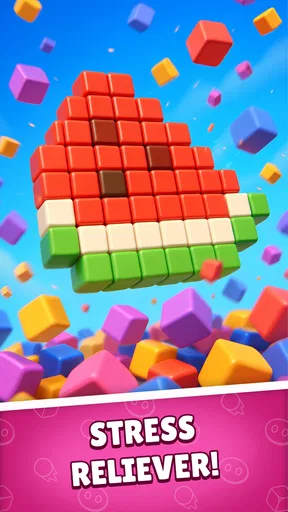


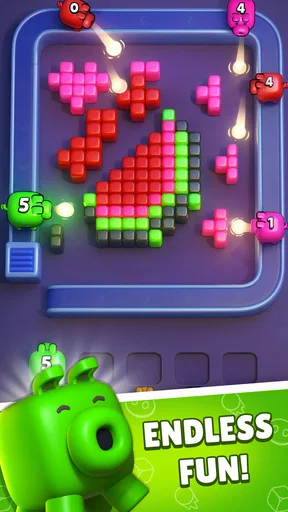
Our Review of Pixel Flow!
 Analysis by Appyee
I approached Pixel Flow expecting a creative tool, but it is a puzzle game, so the first thing to get right is what you’re looking for. Its store summary is “Pig’s Pops!” and its short description is “Pixel Flow”; neither should lead you to expect a design editor. I found the more useful way to think about it is as a casual puzzle for short sessions, where the appeal depends on whether you enjoy working through goals and seeing gradual progress.
What the early goals feel like
In a good puzzle game, the first goals teach you how to think without making you feel as if you are studying a manual. That is the standard I would use when deciding whether to keep playing here: pay attention to whether each task helps you understand the puzzle’s logic, rather than simply asking you to repeat an action. I would recommend taking a moment to see what a level is asking before moving quickly. In games built around visual choices, a small pause can prevent a string of avoidable mistakes.
That approach also makes the game easier to fit into an ordinary day. I can imagine opening it while waiting for a ride or taking a short break, trying a puzzle, and stopping when I reach a natural point. It is not the kind of game I would choose when I want a long narrative to follow or a deep strategy session that demands uninterrupted attention. If your ideal phone game gives you a compact problem to consider and then lets you put the phone away, this is a more promising fit.
How progress and challenge work together
Progress is most satisfying when it tells you something useful: that you have learned a pattern, handled a trickier decision, or moved through a clear set of goals. I look for that kind of signal here rather than treating unlocks as a reason to play by themselves. A new stage feels worthwhile when it asks me to apply what I have learned in a slightly different way. If you reach a point where progress feels like repetition rather than a fresh puzzle, taking a break is more sensible than pushing through just to advance.
The challenge of a puzzle game should rise carefully. A gentle start is helpful, but a difficulty curve that stays flat can become dull; a sudden jump can make a game feel unfair. My practical advice is to slow down when a board or objective seems less obvious, and test one decision at a time instead of committing to a whole plan immediately. That habit is useful in any puzzle, but especially when the game’s visual presentation makes it tempting to act before you have worked out the consequences.
Compared with word puzzles, this kind of game is a better match for someone who prefers visual problem-solving over clues and vocabulary. Compared with match-style games, it is worth choosing only if you enjoy thinking about the goal rather than relying on quick, repeated taps. And if what you want is a sprawling puzzle adventure with a strong story, a more narrative-focused game will probably hold your attention longer. The right alternative depends on whether you want a quick mental reset, a competitive challenge, or a substantial campaign.
Getting Started with Pixel Flow
First off, the installation process was a breeze. I fired up the app, and within minutes, I was navigating through its sleek interface. The design is intuitive, which is a major plus if you hate spending hours trying to figure out how things work. The app offers a wide range of templates to get your creative juices flowing right from the start.
What caught my eye immediately was the extensive library of motion graphics and text animations. If you're into making your Instagram stories or YouTube videos pop, this feature is a game-changer. You can easily customize text by playing around with fonts, colors, and even animation effects. It's like having a mini design studio in your pocket!
Features that Stand Out
One of the standout features of Pixel Flow is its user-friendly motion graphic editor. Even if you’re not a pro at animation, the drag-and-drop functionality makes it a walk in the park. Plus, there are some neat filters and effects that you can apply with a single tap. I’ve spent hours just exploring the possibilities, and it never gets old.
Another cool aspect is the app's export options. You can save your creations in multiple formats, which is super handy if you plan to use them across different platforms. Sharing your work on social media is seamless, and the quality remains top-notch, even after exporting.
Why You'll Love It
Now, let’s talk about why you might love this app. If you’re someone who likes to express creativity without dealing with overly complex software, this app is for you. It’s perfect for those quick edits or elaborate projects where you want every detail to shine. Plus, the app doesn't bog you down with ads, which is a refreshing change.
Another point worth mentioning is the community aspect. The app offers a platform where users can share their creations, gain inspiration, and even learn new tricks from each other. It’s always nice to see what others are creating and get a sense of how far you can push your own limits.
Retention without pressure
For me, a puzzle’s staying power comes from wanting to solve the next problem, not feeling obligated to protect a streak or keep up with a timer. A useful way to judge whether Pixel Flow works for you is to play a few levels in separate short sessions. If the goals make you curious to return, that is a genuine reason to keep it installed; if you only continue because you feel you should, the game may not be rewarding you in the way you want.
There is also a practical trade-off between casual pacing and depth. A phone puzzle is convenient precisely because it can be picked up and put down, but that does not automatically make it a good fit for someone seeking a complex system to master. I would treat this as a light entertainment choice rather than assume it will replace a dedicated brain-training routine or a lengthy strategy game.
Who should give it a try
The game is free, and its Everyone age rating makes it accessible to a broad audience. It comes from Loom Games A.Ş., has an average rating of 4.2 from around 28,000 ratings, and has passed one million installs. Those figures suggest a sizeable audience, but I would still base the decision on your taste: ratings cannot tell you whether a particular puzzle style is satisfying to you.
It is a reasonable option for a casual player who likes clear goals, visual puzzles, and the freedom to play in brief bursts. I would also consider it for someone who wants a low-commitment game to share a device with family, while remembering that an Everyone rating is an age classification, not a promise that every person will find the puzzles equally easy or engaging. If you prefer fast action, multiplayer competition, a story, or a steadily demanding strategic challenge, I would look elsewhere instead.
One small but useful habit is to notice what makes you stop: a puzzle that feels genuinely challenging, or a stretch of play that feels repetitive. In the first case, step away and return with a fresh look; in the second, do not assume that more time will make the game more enjoyable. That distinction can help you decide whether you need a short break or simply want a different kind of game.
Cost, compatibility, and a sensible choice
Although the game is free to download, it includes in-app purchases ranging from $1.99 to $99.99 per item. I would treat optional spending as a separate decision from whether the core puzzle experience suits you. If you are installing it for a child or sharing a device, it is worth checking purchase controls before handing over the phone. You can enjoy trying a free game without assuming that every paid option is necessary to make progress.
The current version is 0.13.1, and it requires Android 6.0 or later. That gives Android users a quick compatibility check before they install. The release date is August 18, 2025, so it is a relatively recent title; as with any evolving game, the experience can change as versions are updated. I would keep expectations focused on the puzzle experience available now rather than assume that a particular future feature or progression system is guaranteed.
Progression verdict
My overall view is that Pixel Flow is best approached as a casual puzzle to sample, not a game whose long-term appeal can be judged from its download count or rating alone. The strongest reason to stay is the simple pleasure of understanding a goal and finding a way through it. The clearest reason to move on is a mismatch in taste: if you want a story, action, or substantial strategic depth, another genre will serve you better.
So, I recently got my hands on Pixel Flow, and let me just say, it’s been quite the creative journey! Whether you’re a professional designer or just someone who likes to dabble in animation, this app has you covered. Let's dive into what makes it tick.
Final Thoughts
In a nutshell, Pixel Flow is a must-try for anyone looking to enhance their video content with dynamic animations and engaging text effects. It’s got the right balance of simplicity and functionality, making it suitable for beginners and seasoned creators alike. So, if you’re ready to unleash your inner designer, give Pixel Flow a spin—you won't be disappointed!
Privacy and Permissions
See what permissions an app requests and how it handles your data.
- Device & app history
- read sensitive log data
- Wi-Fi connection information
- view Wi-Fi connections
- Other
- view network connections, full network access, control vibration, prevent device from sleeping, Google Play license check
Verdict
Strengths of Pixel Flow!
- Smooth animation creation for beginners.
- Intuitive interface with easy navigation.
- Wide variety of templates available.
- Regular updates with new features.
- Supports high-resolution exports.
Limitations of Pixel Flow!
- Limited font customization options.
- Occasional lag on older devices.
- Ads in free version can be intrusive.
- No offline mode for template access.
- Some features locked behind paywall.
Similar Picks in This Category
View All
Block Blast!
HungryStudio4.8

Braindom: Brain Games Test
Lahana Game Studio4.6

AMAZE!
CrazyLabs LTD4.6

Sudoku - Classic Sudoku Puzzle
Oakever Games4.7

Art Puzzle - Puzzle Games
Easybrain4.8

Amaze GO!
Oakever Games4.9
Frequently Asked Questions
What is Pixel Flow! and what does it offer to users?
Pixel Flow! is a captivating mobile game available on both Android and iOS platforms. It combines puzzle-solving with vibrant pixel art, challenging players to complete levels by connecting pixels to create stunning images. With hundreds of levels and an intuitive interface, it appeals to both casual gamers and puzzle enthusiasts.
How do the in-app purchases work in Pixel Flow!?
Pixel Flow! offers several in-app purchases designed to enhance the gaming experience. These may include additional level packs, hints, or cosmetic upgrades for pixel art designs. While the game is free to play, these purchases can help players progress faster or personalize their experience, but they are entirely optional.
Are there any ads in Pixel Flow!, and can they be removed?
Yes, Pixel Flow! includes ads to support the free version of the game. Players may encounter ads between levels or when using certain features. However, an ad-free experience can typically be purchased through a one-time payment, allowing uninterrupted gameplay and a more immersive experience.
What are the system requirements for installing Pixel Flow! on Android and iOS?
Pixel Flow! requires Android version 5.0 (Lollipop) or higher, and for iOS, it needs iOS 11.0 or later. The game is optimized for both phones and tablets, ensuring smooth performance across a range of devices. It's recommended to have a stable internet connection for the best experience, especially for downloading updates or additional content.
Is Pixel Flow! suitable for children, and does it include any educational elements?
Pixel Flow! is family-friendly and suitable for children aged 6 and above. It encourages creativity and problem-solving through its engaging puzzles and vibrant pixel art. While primarily a game, it subtly integrates educational elements by promoting logical thinking and visual perception, making it a fun and educational choice for younger players.
Play our best games!


